

1-introduction

Python Programming - Multithreading, OOP, NumPy and Pandas
۸۵ ویدیو
Farnaz Baghban -۸۵ / ۹

9. How to use multiple conditions

۰ نظر گزارش تخلف
Farnaz Baghban
Farnaz Baghban

#1 Python Programming Exercise

Create a Python application that process an input from the user. The input is an integer and you have to check the following:

if the given integer is smaller than 0: then show a message to the user that the given integer is smaller than zero

if the given integer is greater than (or equal to) 0 and smaller than (or equal to) 10: then show a message to the user that the given integer is within the range [0,10]

if the given integer is greater than 10: show a message to the user that the integer is greater than 10

Good luck!


===============================================================
#1 Python Programming Exercise

# input from the user
num = input("Enter a number: ")
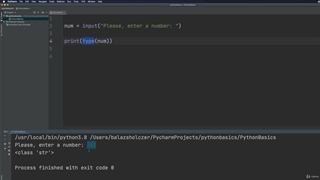
# the input is a string (str) so cast it to an integer (int)
num = int(num)
if num < 0:
print("Given number is smaller than 0 ...")
elif num >= 0 and num <= 10:
print("Given number is within tha range [0,10]")
else:
print("Given number is greater than 10 ... ")

نظرات

در حال حاضر امکان درج نظر برای این ویدیو غیرفعال است.

توضیحات

9. How to use multiple conditions

۰ لایک
۰ نظر

#1 Python Programming Exercise

Create a Python application that process an input from the user. The input is an integer and you have to check the following:

if the given integer is smaller than 0: then show a message to the user that the given integer is smaller than zero

if the given integer is greater than (or equal to) 0 and smaller than (or equal to) 10: then show a message to the user that the given integer is within the range [0,10]

if the given integer is greater than 10: show a message to the user that the integer is greater than 10

Good luck!


===============================================================
#1 Python Programming Exercise

# input from the user
num = input("Enter a number: ")
# the input is a string (str) so cast it to an integer (int)
num = int(num)
if num < 0:
print("Given number is smaller than 0 ...")
elif num >= 0 and num <= 10:
print("Given number is within tha range [0,10]")
else:
print("Given number is greater than 10 ... ")